
For drivers: know where to go.
Find the business, parking entrance and conditions for your visit. Check your vehicle and what you need to pay before confirming.
Guest access · Entrance details · ConfirmationPARKING, CONNECTED TO YOUR DESTINATION.
QuickPark connects drivers, businesses and parking operators. Share arrival information through one link, set clear parking benefits and keep a shared record of the visit.
Drivers · Businesses and offices · Parking operators
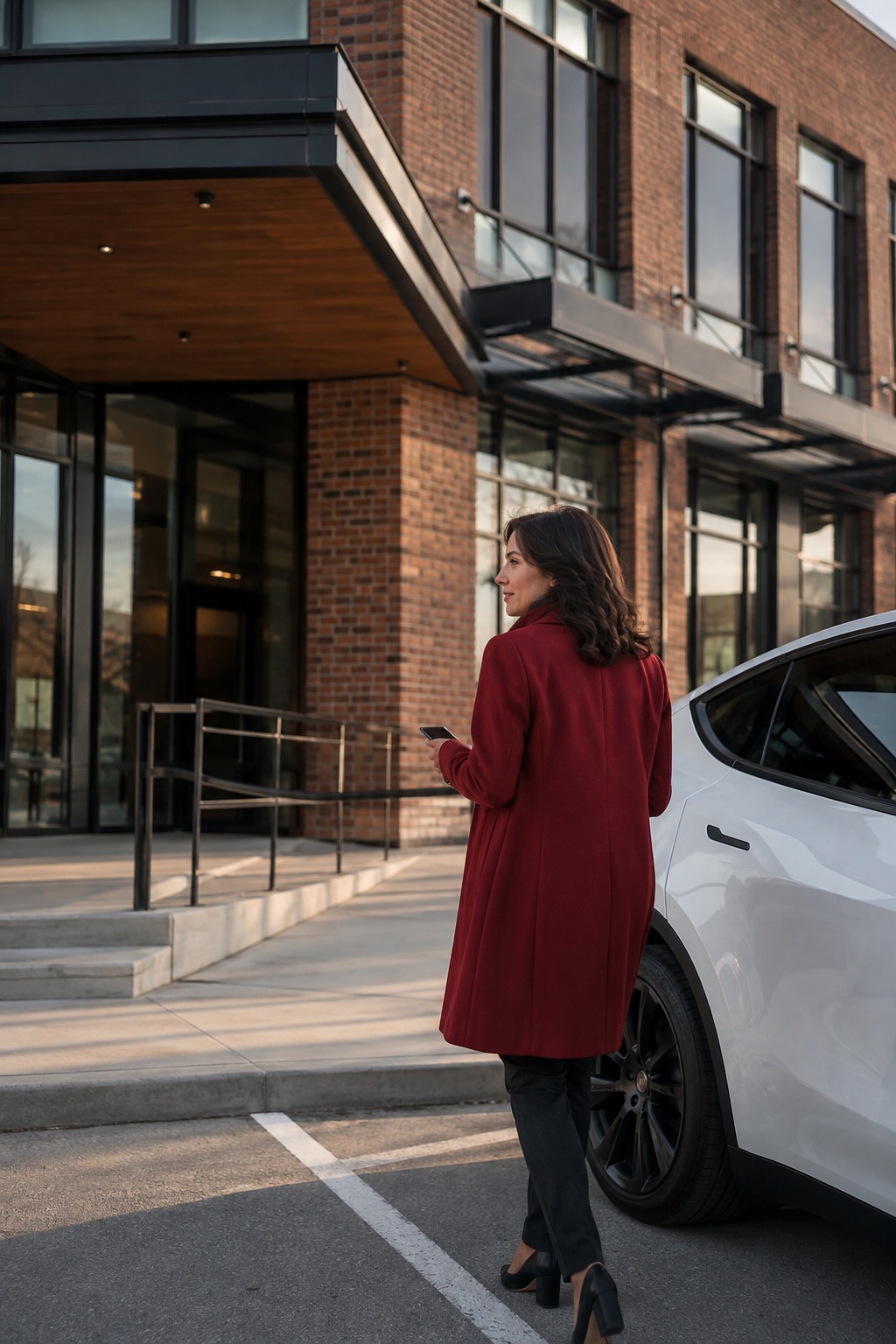
Different destinations. A welcome worth planning.
01 / CONNECT THE PLACE WITH THE VISIT
Share the right information at the right time. Bring the destination, approved parking facility and visit conditions together without requiring visitors to create an account.
Visitors open your link to find the approved facility, the correct entrance and its restrictions. Your team can include the link in the messages it already sends.
The facility, plate, province and duration are checked together. The original price, approved benefit and remaining charge are clearly explained before confirmation.
Visitors can check their confirmed expiry. Authorized staff can verify parking rights and review an extension within the maximum stay and available budget.
02 / DISTINCT ROLES, A SHARED EXPERIENCE
The driver experience should not be disconnected from your daily operations. QuickPark brings visit information together while keeping business, operator and field-team permissions separate.
Find the business, parking entrance and conditions for your visit. Check your vehicle and what you need to pay before confirming.
Guest access · Entrance details · ConfirmationShare visitor links, assign staff access and apply approved parking benefits. See which visits your business covers and how they affect your budget.
Visitor links · Authorized staff · BudgetApprove the businesses and conditions that apply to your facilities. Your teams can verify confirmed parking rights and trace the source of each benefit.
Approved agreements · Verification · Clear records
PARKING THAT SUPPORTS YOUR BUSINESS
Show visitors where to enter before their appointment. Explain what is covered before they confirm. When a visit runs late, give your team clear rules for reviewing an extension. Make parking an organized part of your welcome.
Let’s talk about your business03 / QUICKPARK IN PRACTICE
Explore the QuickPark screens for a fully covered visit: review the details, confirm parking and follow the business records. Each step answers a practical question.
Is this the right facility? The right vehicle? What remains to pay? The essential details come together before the visitor commits.
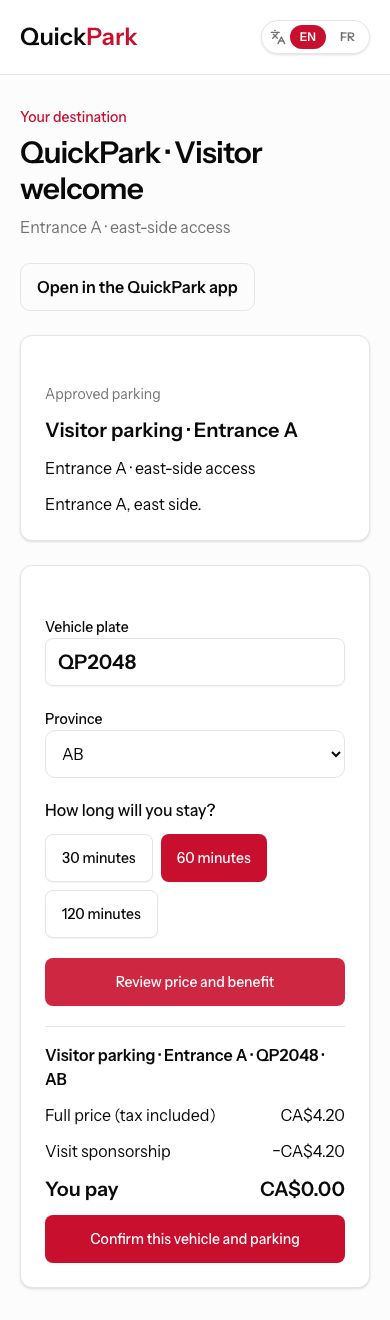
An illustrative scenario in the QuickPark interface, with no real transaction or parking entitlement. Lifestyle photos are generated illustrations, not actual customers or partner facilities.
THE RIGHT ACCESS FOR EACH TASK
The web link opens the guest journey without an installation. QuickPark is designed for drivers to keep their parking close at hand; QuickPark Ops focuses on field tasks. Native journeys are still being verified before release.
Native applications in preparation
THE ESSENTIAL ANSWERS
The guest link or QR journey does not require an account. Your team and the operator use verified accounts with permissions appropriate to their roles.
Not to share a link. Your team can copy it into existing messages and your website using the tools it already has. Automatic calendar and booking integrations are not available yet, and QuickPark does not send SMS in this initial journey.
The operator approves a policy for the relevant facilities: duration, amount, funder and budget. Your team works within those limits. A public QR alone grants no free parking.
Authorized staff can review an extension under the policy, maximum stay and remaining budget. The confirmed expiry must then be refreshed; an old screenshot is not a current verification.
Benefits are linked to an agreement, a funding source and a budget. Authorized staff can review history and exports within their scope. These records show budget use, not proof of financial settlement between the business and operator.
We review your locations, participating facilities, parking benefits and staff roles together. Scope and commercial terms are agreed before setup. Launch remains subject to field, security and payment checks; this page does not yet offer parking purchases or reservations.
No. A confirmed parking entitlement is not a space reservation. Facility capacity is not real-time availability; guaranteed reservations are a future feature.
LET’S TALK ABOUT YOUR PARKING.
Represent a business or parking operator? Tell us your city, the number of locations involved and how you welcome visitors today. We can outline the facilities to connect, the policies to define and the steps towards setup.
Discuss my projectEmail info@quickpark.ca. Do not send vehicle plates, medical details or payment information.